Vi-Remote
I built a phone remote for my Hisense VIDAA TV with five control layouts and a direct connection over home Wi-Fi.
- Status
- Device-tested prototype
- Role
- Developer
- Stack
- Flutter, Dart, Swift, Kotlin, TLS, MQTT
Project preview
TV controls from your phone
I built a phone remote for my Hisense VIDAA TV with five control layouts and a direct connection over home Wi-Fi.
Browse screenshots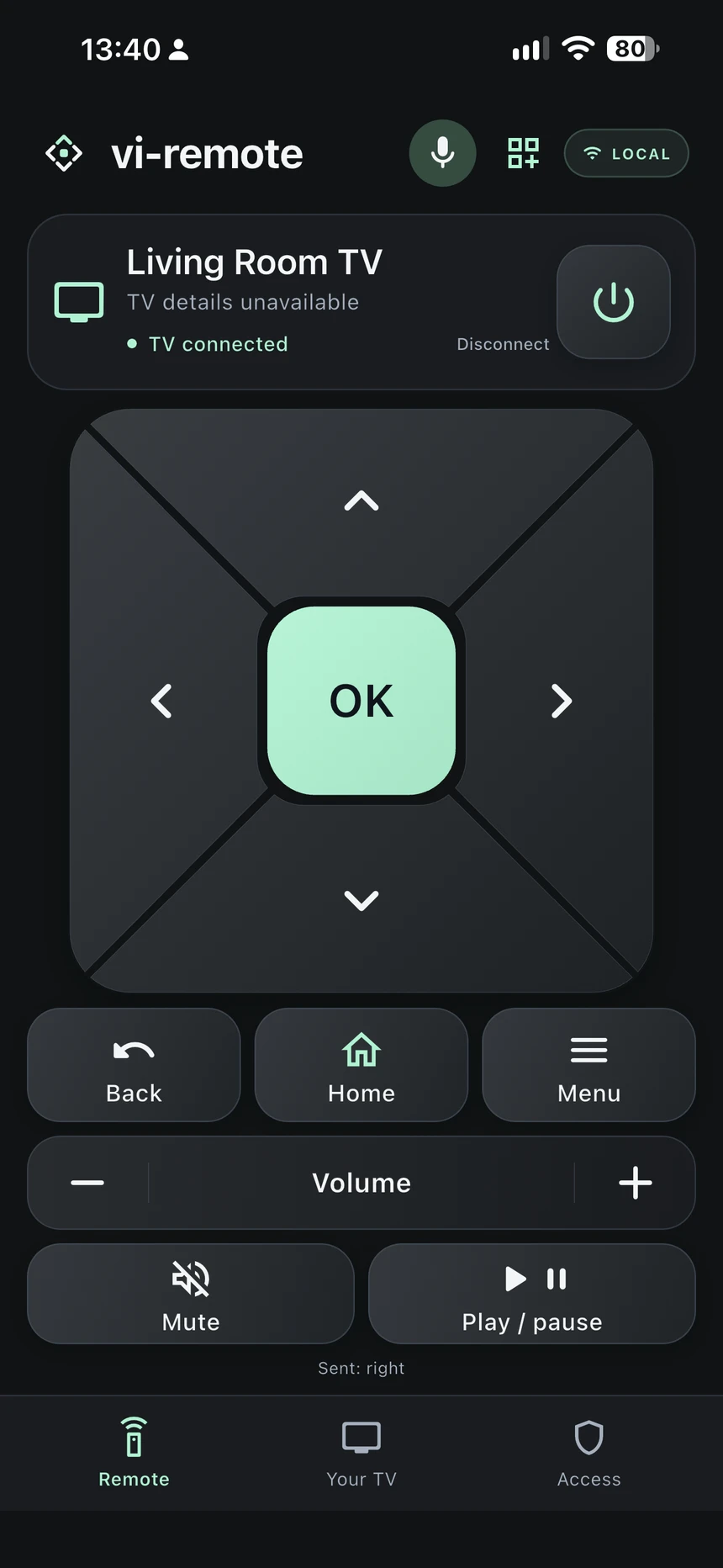
Problem
I wanted to use my phone as a TV remote over home Wi-Fi without setting up a separate gateway, and to choose a control layout that felt comfortable to use.
My contribution
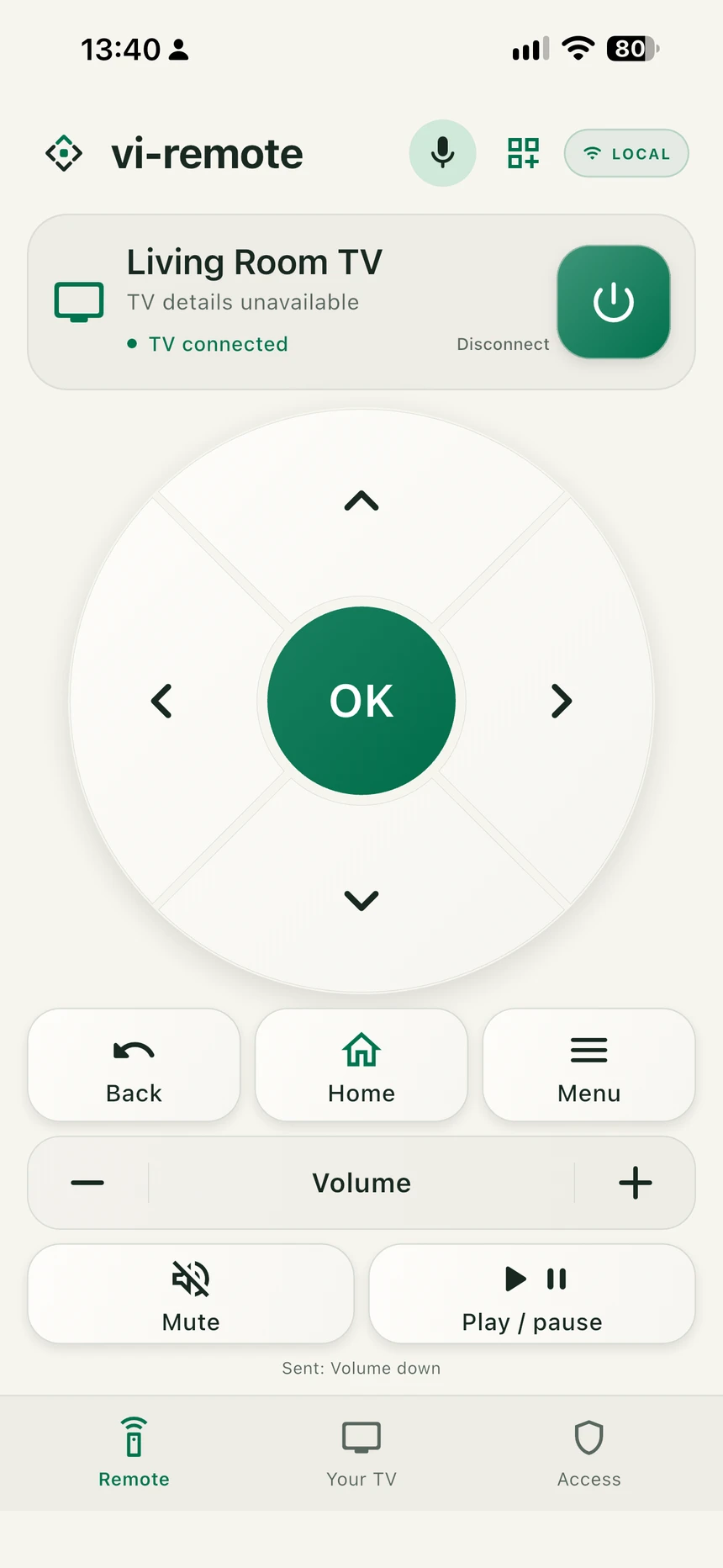
I built the remote interface, local pairing, connection recovery, and an on-device voice prototype. I designed five layouts: Graphite, Light, Thumb Reach, Split Controls, and Minimal Focus. Thumb Reach puts the directional pad lower on the screen, and Split Controls places volume beside it.
Technical decisions
I gave each voice request a session identifier so a late recognition result cannot send a TV command after cancellation or disconnect. Explicit power and mute commands check the reported TV state before acting.
Result
The device-tested prototype lets me enter the TV’s IP address and check the connection on the same Wi-Fi network. Once connected, I can send directional, OK, Back, Home, Menu, volume, mute, playback, and power commands. The Access screen previews household ownership and invitations, which are planned features.
App screenshots
Graphite layout with directional and playback controls. Light layout with a circular directional pad. Thumb Reach layout places the directional pad lower on the screen. Split Controls puts volume beside the directional pad. Minimal Focus uses separate directional buttons. Layout picker showing all five options. Local TV setup and connection check. The TV’s IP address is redacted. Household access concept. Invitations and access restrictions were unavailable in this build. Flutter-rendered voice-listening prototype with a simulated TV.